
Music Distribution Guide: Getting on Spotify, Apple Music & More (2026)
How to get your music on every major streaming platform, comparing DistroKid, TuneCore, CD Baby, and more. Plus what to do before you hit distribute.
The short version
- A distributor delivers your music to Spotify, Apple Music, and the other platforms that do not take direct uploads.
- Compare pricing models before you commit: yearly fee, per release, or revenue share.
- Document your splits, credits, and metadata before you hit distribute, not after.
- Switching distributors later is possible, but plan it between releases.
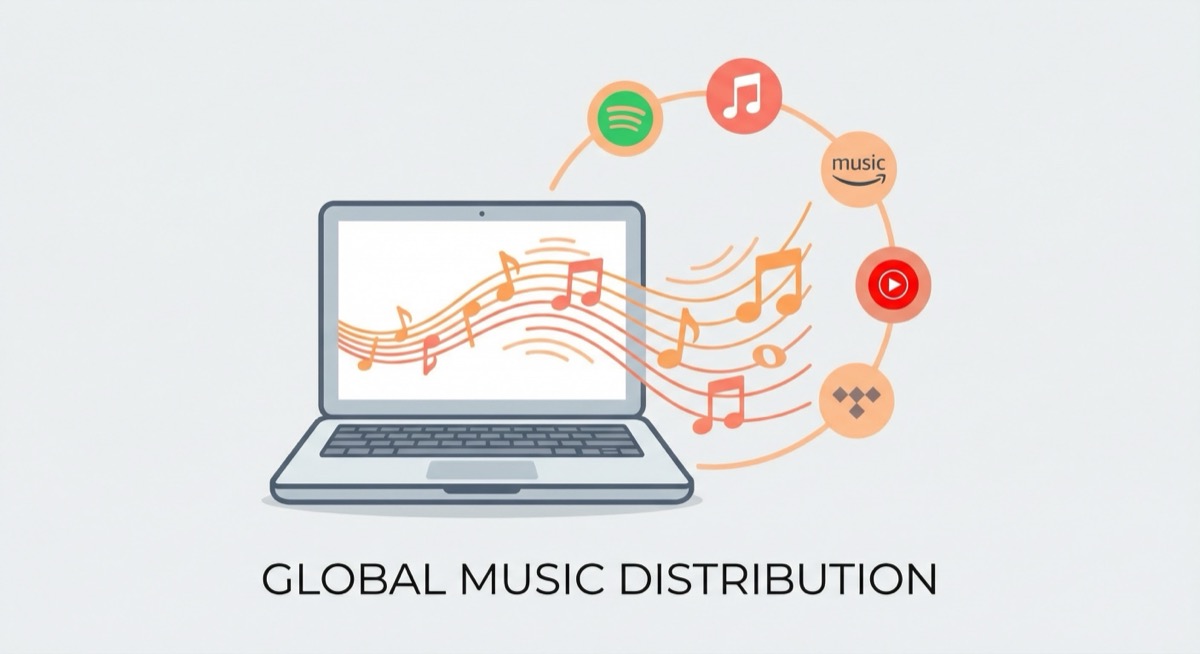
Your music is finished. Mixed, mastered, artwork done. Now what? You need to actually get it on Spotify, Apple Music, Amazon Music, Tidal, Deezer, and the dozens of other platforms where people listen. The problem is, none of these platforms accept uploads directly from artists. You need a distributor.
Choosing the right distributor matters more than most artists realize. The wrong choice can mean lost royalties, delayed releases, or paying more than you need to. This guide breaks down how distribution actually works, compares the major players as of early 2026, and walks you through everything you should do before you hit that distribute button.
What Is a Music Distributor?
A music distributor is the middleman between you and the streaming platforms. Think of them like a shipping company for your music. You hand them your tracks, metadata, and artwork, and they deliver it to Spotify, Apple Music, Amazon Music, Tidal, Deezer, and everywhere else. Once your music is live, the distributor also collects your streaming royalties from each platform and pays them out to you.
Before streaming, distributors were the companies that physically shipped CDs and vinyl to record stores. Today, distribution is entirely digital, but the role is the same: get your music from point A (you) to point B (listeners), and get the money flowing back.
Without a distributor, your music simply doesn't exist on the major streaming platforms. It's that straightforward.
The Major Distributors Compared (2026)
There are a lot of distributors out there, but most independent artists are choosing between these five. Here's how they stack up as of early 2026. Note that distributor pricing changes frequently, so always check the official site for the most current numbers before signing up.
DistroKid
DistroKid is probably the most popular choice among independent artists, and for good reason. Their Musician plan starts at around $22.99/year for one artist name with unlimited uploads. They take 0% of your royalties: you keep everything. Delivery to platforms is fast, typically 1-2 business days. There are no per-release fees, which makes DistroKid especially attractive if you release music frequently. Higher-tier plans are available for artists who release under multiple names or want additional features like automatic lyrics syncing.
TuneCore
TuneCore restructured its pricing significantly in 2024 and 2025. They now offer a free tier (TuneCore Unlimited Free) that lets you upload unlimited music but takes a 10% commission on your royalties. Paid plans start at around $14.99/year and reduce or eliminate the royalty commission. TuneCore also offers publishing administration on higher tiers, which can help you collect mechanical and performance royalties globally, a genuine value-add if you don't have a publisher.
CD Baby
CD Baby takes a different approach: one-time fees per release instead of annual subscriptions. Their Standard plan charges around $9.99 per single and $29.99 per album, with a 9% commission on royalties. Their Pro plan costs more upfront (around $49.99 per single and $99.99 per album) but takes 0% royalty commission and includes publishing administration. CD Baby is a strong choice if you release less frequently: you pay once and your music stays up forever.
AWAL
AWAL (Artists Without A Label) is selective. You have to apply and be accepted. There are no upfront fees, but AWAL takes a 15% commission on your royalties. In exchange, you get access to a dedicated team, marketing support, playlist pitching assistance, and data analytics. AWAL is owned by Sony Music, which gives them significant industry reach. If you're an artist with growing momentum who wants more hands-on support, AWAL can be worth the commission, if you can get in.
UnitedMasters
UnitedMasters offers a free tier that takes a 10% royalty commission, or a paid plan at around $5.99/month where you keep 100% of your royalties. UnitedMasters has carved out a niche with brand partnership opportunities: they've brokered deals with companies like the NBA, ESPN, and major consumer brands, giving artists additional income streams beyond streaming. It's a growing platform worth considering, especially if brand partnerships interest you.
Before You Distribute: The Checklist
This is where most artists mess up. They're so eager to get their music out that they skip critical steps that cost them money (and headaches) down the road. Before you submit anything to a distributor, make sure you've handled all of the following:
Document Your Splits
If anyone else contributed to your song (a co-writer, a producer, a featured artist), you need to have your ownership splits documented before you distribute. Once the money starts flowing, disputes get expensive and messy. A split sheet is a simple agreement that spells out who owns what percentage of the song. You can create one on SyncFlow in under 5 minutes. Do it now, not later.
Register with a PRO
Your distributor collects streaming royalties, but your Performing Rights Organization (PRO) collects performance royalties: the money generated when your music is played on radio, in venues, on TV, and in certain streaming contexts. If you're not registered with ASCAP, BMI, or SESAC, you're leaving money on the table. Do this before your release goes live.
Get Your Metadata Right
Metadata is the information attached to your music files: song titles, artist names, ISRC codes, UPC codes, genre tags, and more. Bad metadata is one of the most common reasons artists lose royalties. Misspelled names, incorrect ISRC codes, or inconsistent artist name formatting can cause your royalties to get lost or credited to someone else. Double-check everything. Then check it again.
Prepare Your Artwork
Every streaming platform requires cover art. The standard spec is 3000 x 3000 pixels, in JPG or PNG format. No blurry images, no pixelation, no copyrighted imagery you don't have rights to. Your artwork is the first thing listeners see, so make it count.
Plan Your Release Date
Most distributors recommend submitting your music at least 3-4 weeks before your desired release date. Why? Because Spotify and Apple Music allow artists to pitch unreleased music for editorial playlist consideration, but only if the track is in their system with enough lead time. If you submit on Monday and want it live by Friday, you'll miss the playlist window entirely.
Consider Copyright Registration
While your music is automatically copyrighted the moment you create it, formal registration with the U.S. Copyright Office gives you significantly stronger legal protection. It's $65 per work (or $85 for groups). Read our full copyright registration guide for the step-by-step process.
How to Choose the Right Distributor
There's no single "best" distributor. The right choice depends on how you release music and what you need. Here's a quick decision framework:
- You release frequently (monthly or more): DistroKid or UnitedMasters. Unlimited uploads with flat pricing means you're not penalized for being prolific.
- You release occasionally (a few times a year): CD Baby. One-time fees mean you're not paying an annual subscription for music you already uploaded.
- You want publishing administration too: CD Baby Pro or TuneCore's paid plans. Both offer publishing admin that helps collect royalties globally, useful if you don't have a separate publishing deal.
- You want editorial and marketing support: AWAL, if you can get accepted. Their team actively pitches your music and provides strategic guidance.
- You're on a tight budget: TuneCore Free or UnitedMasters Free. Both let you distribute at no upfront cost, but they take a percentage of your royalties, so keep that in mind as your streams grow.
Pro tip: Don't overthink this. The best distributor is the one that fits your release schedule and budget right now. You can always switch later. What matters most is that your music is actually out there and your business is in order before you distribute.
Common Distribution Mistakes
These are the mistakes we see independent artists make over and over again. Every single one of them is avoidable:
- Distributing before documenting splits. This is the number one mistake. Your song blows up, the royalties start rolling in, and suddenly your co-writer or producer is asking where their money is, but you never agreed on percentages. Now you're in a dispute instead of celebrating. Document your splits first. Always.
- Wrong or sloppy metadata. Misspelled artist names, incorrect ISRC codes, wrong release dates: these errors don't just look unprofessional, they can cause your royalties to get lost in the system. Some platforms won't even correct metadata errors after the fact.
- Not setting up splits with your distributor. Most major distributors (including DistroKid, TuneCore, and CD Baby) have built-in features that let you split royalty payments between collaborators. If you skip this step, all the money goes to one person and you're stuck figuring out how to redistribute it manually.
- Uploading to multiple distributors simultaneously. This is a big one. If you send the same track to Spotify through two different distributors, you'll end up with duplicate listings, and Spotify will take one or both of them down. Pick one distributor per release.
- Ignoring the 3-4 week lead time. If you want a shot at Spotify's editorial playlists, you need your music in their system well before release day. Rushing a release means you miss the playlist pitching window, and playlist placement can be the difference between 500 streams and 50,000.
The Distribution + Split Sheet Connection
Here's something a lot of artists don't fully understand: your distributor collects the money, but your split sheet determines where it goes.
If you have co-writers, a producer, or a featured artist on a track, your distributor needs to know how to split the payments. Most major distributors have built-in split payment features that let you assign percentages to different collaborators. That's great, but those payment splits don't replace a proper split sheet.
The distributor's split feature handles the payment routing: it makes sure the right dollar amounts go to the right bank accounts. The split sheet is the legal agreement backing it up. It documents who owns what, who contributed what, and what happens if there's a disagreement. Without a split sheet, a collaborator could dispute the percentages you entered in your distributor's dashboard, and you'd have no documentation to back up your side.
The workflow should be: sign the split sheet first, then enter the agreed-upon percentages in your distributor's split payment system. The split sheet is the source of truth. The distributor is just executing it.
Frequently Asked Questions
Can I switch distributors?
Yes, but it's not as simple as flipping a switch. You'll generally need to take down your music from your old distributor first, then re-upload it through the new one. This can cause a temporary gap where your music is unavailable, and you may lose accumulated playlist placements and stream counts on some platforms. Some distributors make the transition easier than others. DistroKid, for example, has a "leave a store" feature that lets you remove from specific platforms selectively. Plan the switch carefully and try to do it between releases, not during one.
Do I need a distributor for SoundCloud or YouTube?
No. SoundCloud and YouTube both allow direct uploads from artists. You don't need a distributor to get your music on either platform. Distributors are primarily for the platforms that don't accept direct uploads: Spotify, Apple Music, Amazon Music, Tidal, Deezer, and similar streaming services. That said, some distributors can deliver your music to YouTube Music and YouTube's Content ID system, which helps you monetize when others use your music in their videos.
How long until my music is on Spotify?
After you submit through your distributor, it typically takes 1-5 business days for your music to appear on Spotify and other platforms. DistroKid tends to be on the faster end (1-2 days), while others may take a bit longer. However, if you want to pitch your music for Spotify's editorial playlists through Spotify for Artists, you should submit your music at least 3-4 weeks before your release date to give the editorial team time to review it.
What percentage does Spotify pay per stream?
This is the most common question in music distribution, and the answer is frustratingly imprecise. Spotify doesn't pay a fixed per-stream rate. Instead, they pay artists based on their share of total streams in a given market, relative to Spotify's total revenue in that market. As a rough benchmark, the average payout has been in the range of $0.003 to $0.005 per stream as of 2025/2026, but this varies significantly by country, listener type (free vs. premium), and other factors. In practice, you'd need roughly 250-350 streams to earn $1. This is why diversifying your income streams (sync licensing, live performance, merchandise, publishing royalties) matters so much.
The Bottom Line
Distribution is the bridge between making music and making money from it. The good news is that in 2026, getting your music on every major platform is easier and more affordable than ever. The bad news is that it's also easier than ever to make costly mistakes by rushing the process.
Take the time to get your splits documented, your metadata right, your PRO registration done, and your release timeline planned. Choose a distributor that fits your release cadence and budget. And remember: the distributor is the delivery truck, but your split sheet is the map that tells the money where to go.
Sources: DistroKid, TuneCore, CD Baby, AWAL, UnitedMasters, Spotify for Artists, Spotify: Getting Music on Spotify
Put your next song on paper.
SyncFlow turns splits, signatures, and files into one organized record of who owns what. Cancel anytime.
Start your trial